exceeder · early access for Windows
The browser with cognira built in.
Chromium with Google search, your favorites and tabs down the side, and cognira one keypress away on every page: ask about what you’re reading, or let it do the clicking.
Free · Windows 10 and 11, 64-bit · Built on Chromium 155 · Chrome extensions work
- cognira built in
- Tabs down the side
- Favorites in reach
- Chrome extensions
- Updates itself
- Google search
- Black, grey and gold
- Chromium 155
- Free
The real thing
Calm, quick, and yours.
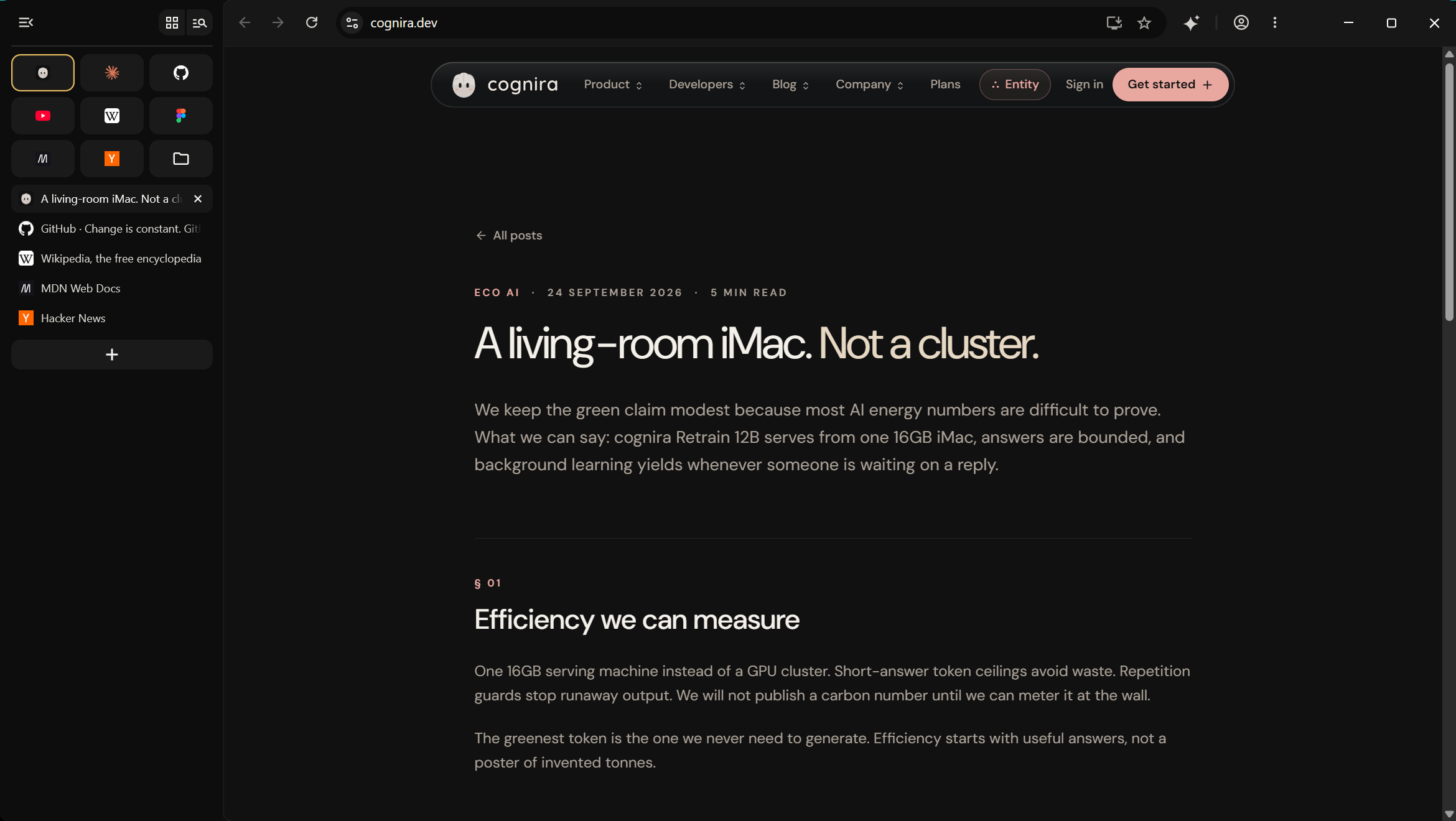
A real Chromium browser, compiled from source, in black, grey and gold. Favorites as tiles, tabs down the side, nothing nagging you.
cognira, built in
Ask about anything on screen. Or have it done.
Press CtrlShift. or click the spark in the toolbar, and a glow runs round the page with cognira in a pill at the bottom. Ask about what you’re reading, or tell it what to do: it clicks, types and scrolls while you watch.
- Summaries, takeaways, plain English. The page comes along as context when you ask.
- Tasks, step by step. Fill in a form, add something to a cart, find the right button.
- It asks first. Anything that would send, buy or delete waits for your OK, and you can stop it at any time.
atelier
New season
Linen overshirt
£68
Ask about this page, or tell cognira what to do…
The bar on a made-up shop. In exceeder it works on whatever page you have open.
Right-click anything
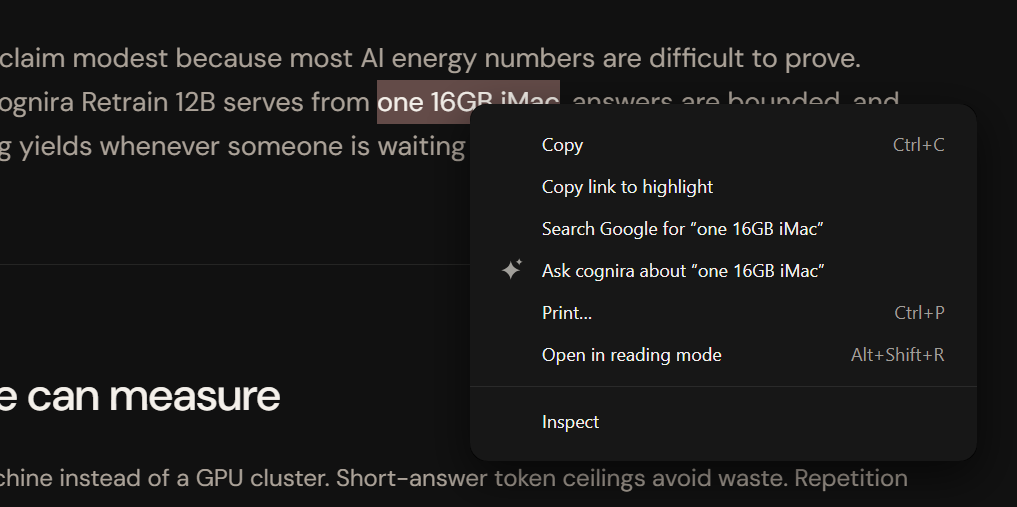
Select a phrase and choose Ask cognira about “…”, or right-click the page to summarize it.
Only when you ask
One account, one history
- Inbox (3)
- Pull request #42
- Morning briefing
The sidebar
Your favorites, one click away.
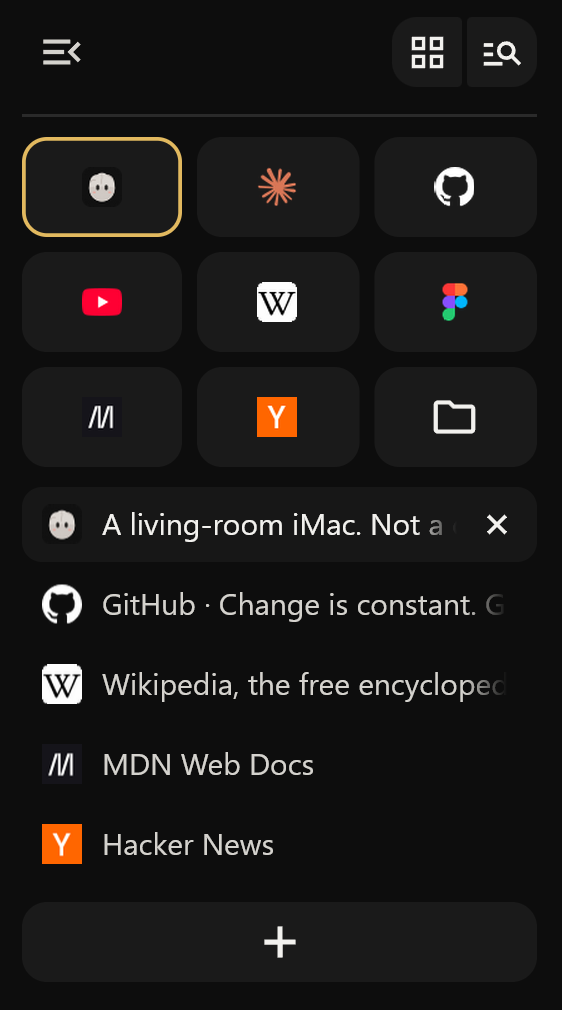
Your bookmarks bar becomes a grid of tiles at the top of the sidebar, above your tabs. Click one to jump to its tab, or to open it; click it again to go back to the page you saved. The tile of the page in front of you wears a gold ring.
Folders open as menus, tiles drag to reorder, and a link dropped on the grid becomes a favorite. CtrlD adds the page you’re on.
The address bar
Just the site.
The address bar shows where you are, not forty characters of tracking. Click it and the whole address is back, ready to copy or edit.
https://claude.ai/chat/7f3e9a1c-04b2-4d6e?ref=sidebar&utm_source=feed
Editing: the whole address is there.
Updates
It keeps itself current.
Every few hours exceeder checks for a new version. If there is one, it downloads it, checks it against the fingerprint cognira publishes, and installs it in the background. Relaunch whenever suits you; a big release opens What’s new.
exceeder
Version 1.0.0
- A new version is out: 1.0.1
- Downloaded in the background
- Fingerprint matches what cognira published
- Installed beside the one you are using
Your cognira account
Signed in as you.
Sign in once with the account you use on cognira.dev, or make a free one. Your exceeder profile takes its name and photo, and everything you ask lands in the same history as the cognira app.
Passwords and autofill
Customize profile
Add profile…
The browser part
Chromium, with the noise turned down.
Tabs down the side
Quiet by default
Google search
Chrome extensions, as they are
Black, grey and gold
Your things, brought over
Setup
Set up in a minute.
The first time it opens, exceeder offers to bring your things over and sign you in. Every step can be skipped.
01
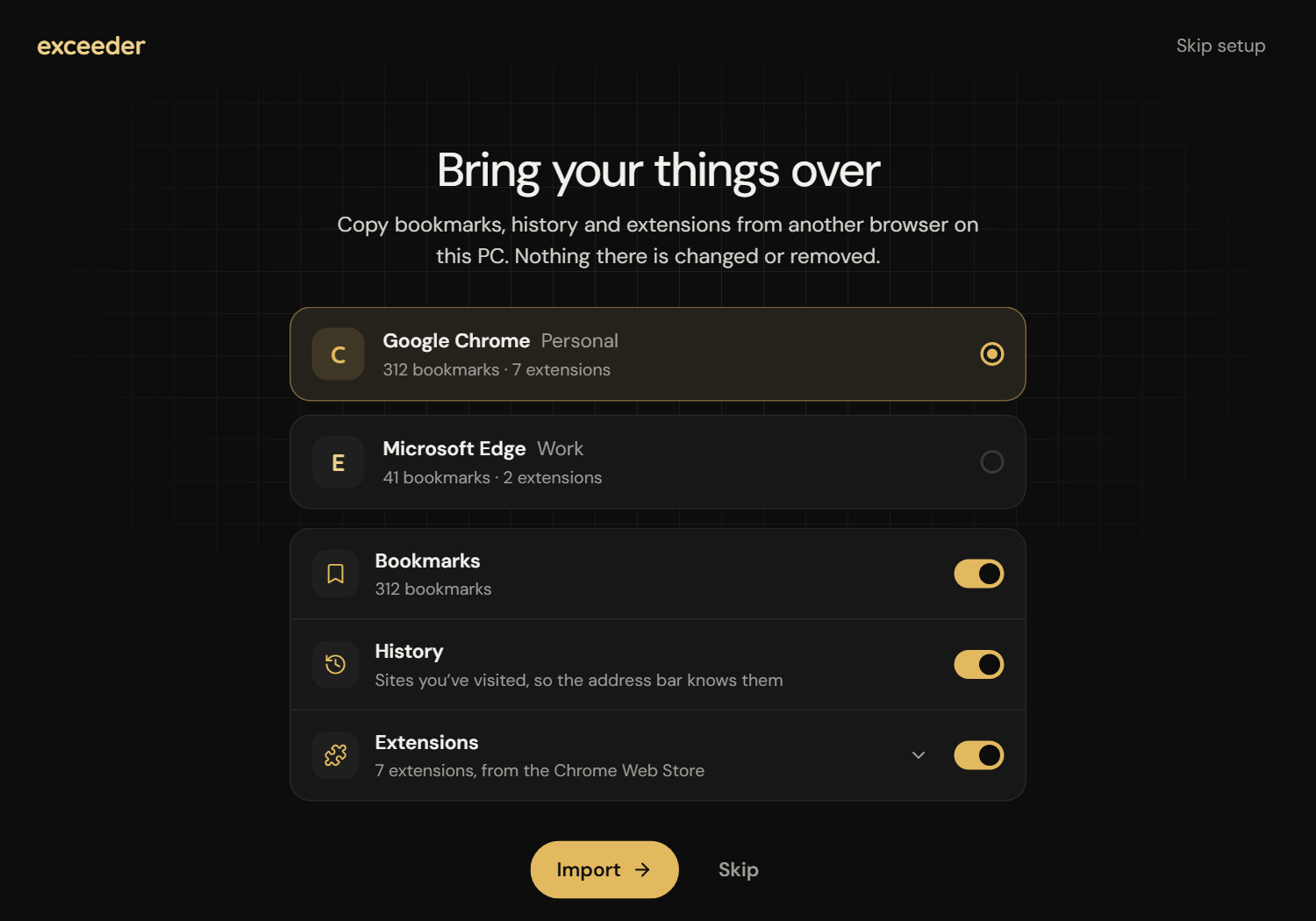
Bring your things
Bookmarks, history and extensions from Chrome, Edge or Brave. Extensions reinstall from the Chrome Web Store.
02
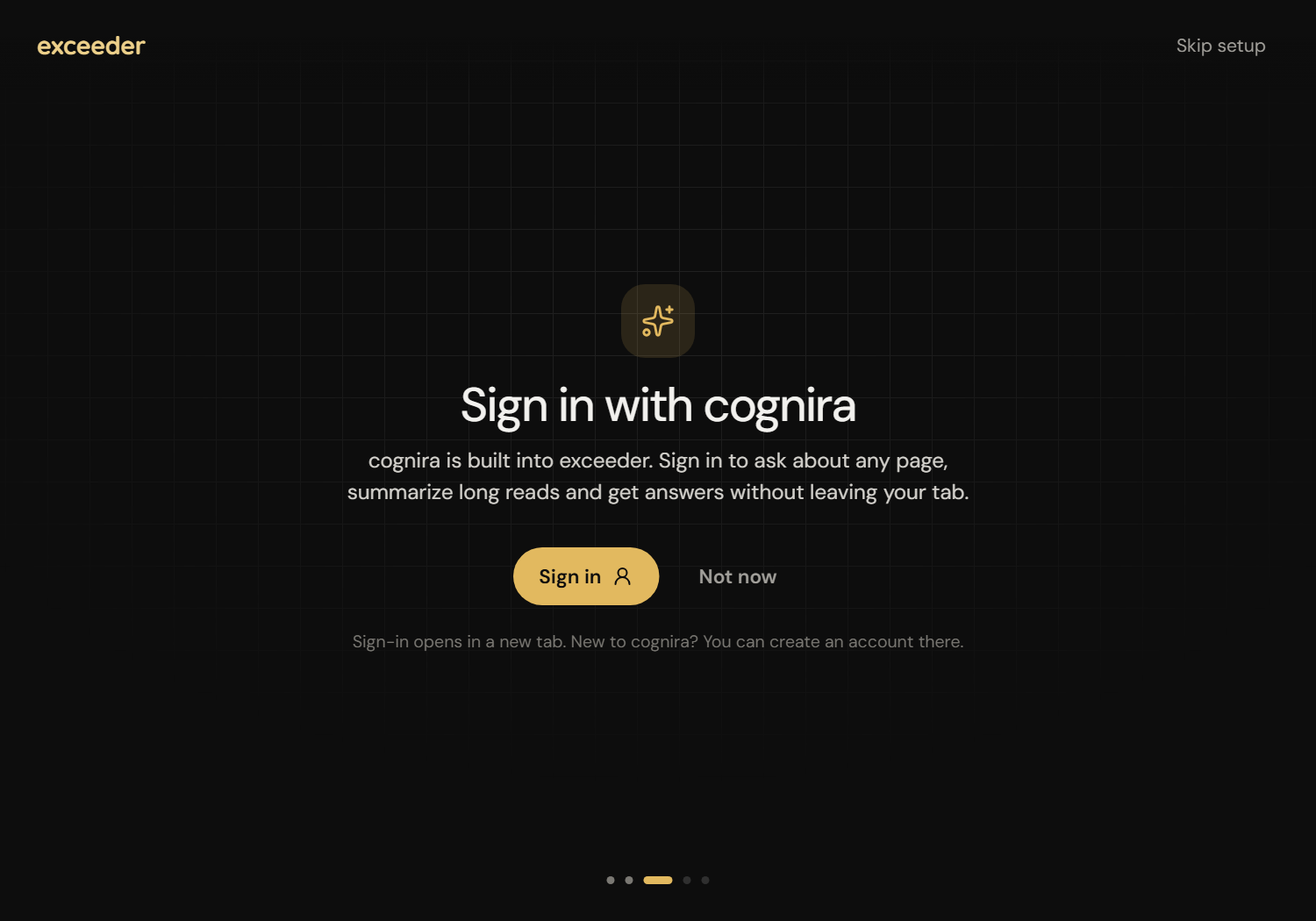
Sign in to cognira
The account you use on cognira.dev, or a new free one. It is what cognira in exceeder runs on.
03
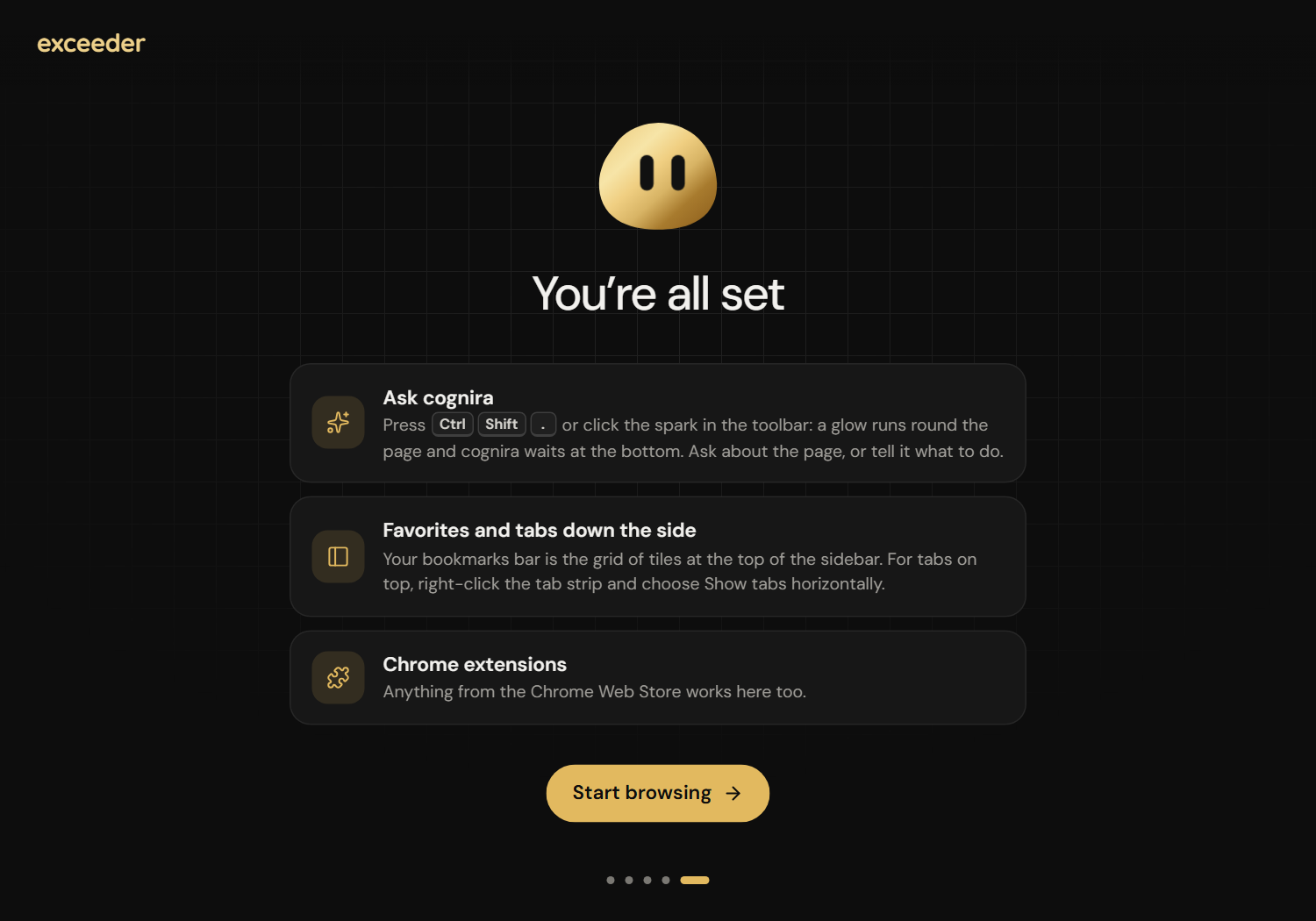
Start browsing
Make it your default if you like. A few tips, then the new tab page.
Built the way Chrome is
Not a web app in a frame. A real browser.
exceeder is Chromium itself, compiled from source: Blink, V8 and Chrome’s sandbox, with cognira’s code and a short list of patches on top. Each patch changes one upstream file, so the next Chromium version is a rebase, not a rewrite.
How it was built- Chromium version it is built on
- 155Chromium version it is built on
- patches on upstream Chromium, one file each
- 65patches on upstream Chromium, one file each
- build steps in a release build
- 66,925build steps in a release build
- to rebuild the dev build after a UI change
- 58 sto rebuild the dev build after a UI change
Download
exceeder for Windows
Windows 10 and 11, 64-bit
- Free. cognira in exceeder uses your cognira plan’s weekly allowance; the Free plan works. See plans
- Updates itself. Install it once; new versions arrive on their own. What’s new
- Early access. The installer is not code-signed yet, so Windows SmartScreen may warn you: choose More info, then Run anyway.
- Found a bug? Menu → Report an issue, or the feature board.
Plain answers
Is exceeder just Chrome?
It is Chromium, the open-source project Chrome is built from, compiled from source with cognira added and Google’s sign-in prompts and promotions taken out. Chrome extensions and the Chrome Web Store work as they do in Chrome.
What does cognira see while I browse?
Nothing until you ask. When you ask about a page or give cognira a task, the page’s text and the buttons and fields on it go to cognira for that answer or task. That is not saved with your chat, it never trains the model, and what you have typed into password fields is never sent. exceeder does not send your browsing history to cognira.
Do I need a cognira account?
Not to browse. To use cognira in exceeder, sign in with the account you use on cognira.dev; your exceeder profile then shows its name and photo. The Free plan works, and cognira uses your plan’s weekly allowance like any other chat.
Can cognira click things for me?
When you ask it to. Tell it what to do in the bar and it works on the page in front of you, one step at a time where you can watch, and you can stop it whenever you like. Anything that would send, buy or delete waits for you to say yes.
Does Chrome Sync work?
No. Google only offers Chrome Sync in Google Chrome. Your bookmarks, history and extensions come over once, during setup.
Why does Windows warn me about the installer?
Early-access builds are not code-signed yet, so SmartScreen may say “Windows protected your PC”. Choose More info, then Run anyway. The SHA-256 on this page lets you check the file first.
Why won’t my Mac open exceeder the first time?
The early-access build is not notarized by Apple yet, so macOS stops it the first time. Drag exceeder into Applications and open it once, then go to System Settings → Privacy & Security and choose Open Anyway. After that it opens like any other app.
How does it update?
By itself. Every few hours exceeder checks for a new version, downloads it, checks the file against the fingerprint cognira publishes and installs it in the background; the menu then offers Relaunch to update. A big release opens a What’s new page. On a Mac, keep exceeder in Applications for this. (A copy installed for every user of a PC, which needs an administrator, updates when you run a newer installer.)
Is there a Mac or Linux version?
There’s a Mac version for Apple silicon (macOS 13 or later), alongside Windows. Linux isn’t ready yet.
How do I report a bug?
Open the menu and choose Report an issue, or press Alt+Shift+I. It opens a post on the cognira feature board, where you can follow the fix.